
How to Test AI in Your Business—and Decide What to Do Next
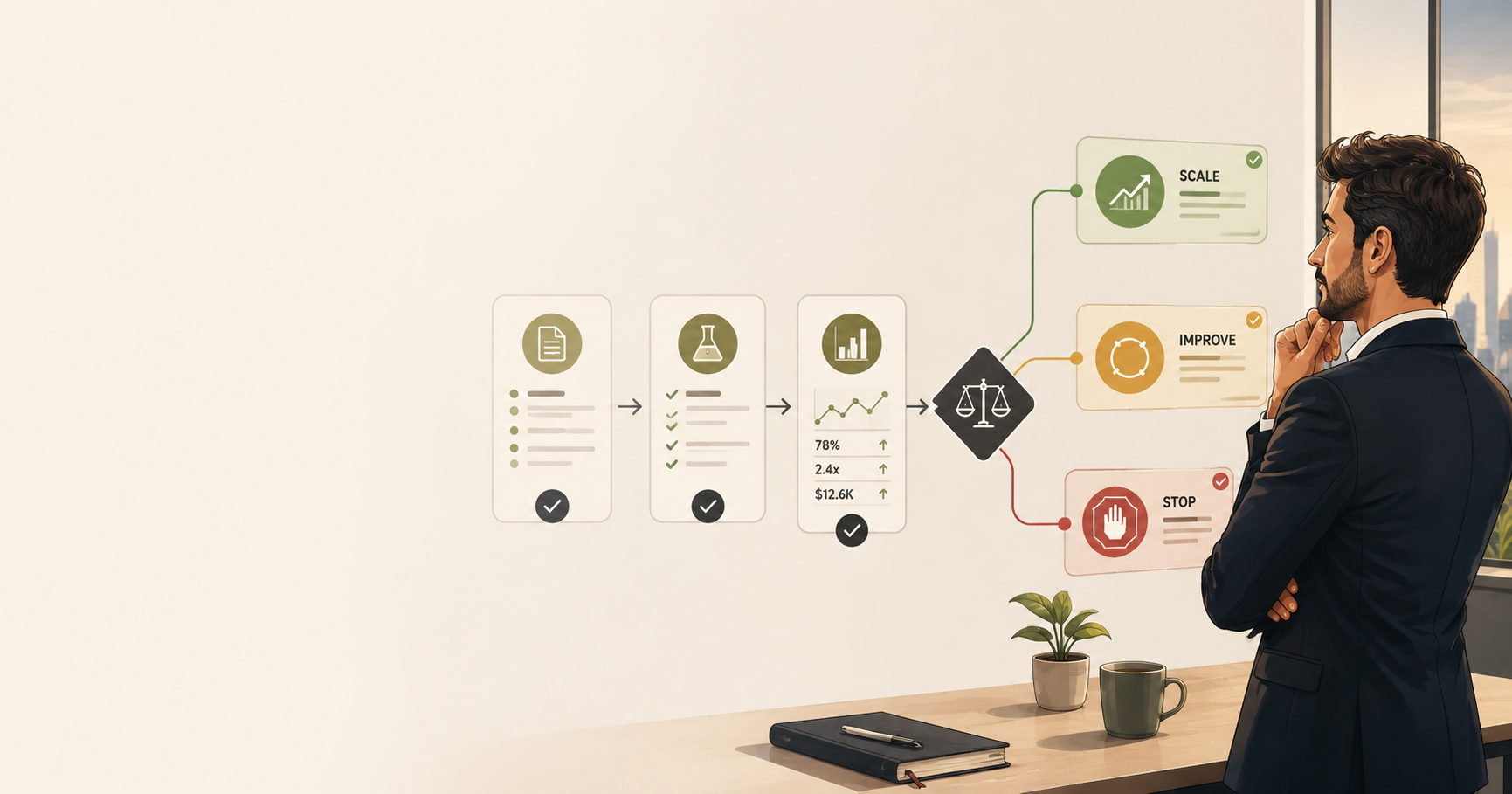
A practical guide to choosing one use case, running a controlled test and deciding whether to scale it, improve it or stop it.
“We need to do something with AI” is now a familiar instruction inside many businesses. It can quickly lead to a large software purchase, a broad transformation programme or several disconnected experiments.
There is a simpler place to start: choose one real business problem and run one controlled test.
The test is not meant to prove that AI is impressive. A demonstration can do that. It should show whether AI can make a specific part of your business faster, more reliable or easier to manage—without creating unacceptable risk.
The difficult part is turning a promising experiment into useful day-to-day work. Deloitte’s 2026 enterprise survey found that only 25% of respondents had moved at least 40% of their AI pilots into production.
What counts as an AI test?
An AI test is a small, time-limited trial inside one real workflow. It has:
- a clear business problem;
- a defined scope;
- one responsible owner;
- a way to compare the result with the current process;
- safeguards for people, data and decisions; and
- a decision date.
You are not committing to a full AI rollout. You are gathering enough evidence to make a sensible next decision.
1. Choose one business problem—not an AI tool
Start with the work, not the technology. Ask:
- Where does the team lose time every week?
- Which tasks are repetitive or delayed by manual handling?
- Where do errors, missing information or rework appear?
- Which task has a clear output that a person can check?
A useful first test might involve sorting incoming requests, checking documents for missing information, summarising routine reports, preparing a first draft or routing work to the right person. These are illustrations, not claims about LLD client results.
The first use case should matter, but it should also be easy to contain. Avoid beginning with a decision that could seriously affect a customer, employee, payment, legal position or safety outcome. If the risk is high, choose a safer use case first.
A strong starting point usually has five features: frequent work, visible effort, a clear output, available data and a human who can review the result.
2. Record how the work performs today
You cannot judge improvement without a starting point. Before introducing AI, observe the existing process for a representative period and record a few simple measures.
| Measure | Question to answer |
| Staff time | How many minutes or hours does the work require? |
| Waiting time | How long does the request sit before completion? |
| Quality | How often is the output correct and complete? |
| Rework | How often must someone fix or repeat the work? |
| Volume | How many items are handled each day or week? |
| Exceptions | Which cases cannot follow the normal process? |
Choose one main measure and one or two safeguards. For example, time saved may be the main measure, while accuracy and data privacy remain non-negotiable safeguards.
If you need a deeper measurement framework, see LLD’s guide to what to measure before automating a workflow.
3. Define success before the test begins
Write down what would justify moving forward. Keep it specific:
For [type of work], the test should improve [main measure] from [current result] to [target result], while maintaining [quality or risk safeguard], over [test period].
Use targets based on your own baseline, not a generic industry promise. By the end, you should be able to answer practical questions:
- Did the team complete the work faster?
- Was the output accurate enough?
- How often did a person need to correct it?
- Did it reduce work, or simply move work elsewhere?
- What did the test cost to operate?
- Did users trust and understand the process?
OpenAI’s evaluation guidance recommends defining the objective, collecting suitable test cases and evaluating continuously rather than relying on a few favourable examples. The same principle applies here: decide how you will judge the test before seeing the results.
4. Keep the test small and controlled
Limit the test to:
- one workflow;
- one team or user group;
- one approved data source;
- one accountable owner;
- one defined test period; and
- one main outcome.
Set the rules before work begins. Decide what data the AI may use, who can access it, which outputs require human approval and what should happen if the tool fails. Keep a manual fallback. Record important inputs, outputs, corrections and exceptions so the result can be reviewed.
Controls should reflect the use case. NIST’s AI Risk Management Framework provides a practical structure for managing AI risk. Anthropic’s work on trustworthy agents also highlights visibility, human intervention and clear control—especially when a system can take actions rather than only produce text.
For a first test, the safest rule is simple: AI may assist the work, but a named person remains responsible for the decision.
5. Test real work, including difficult cases
Run the test on normal cases and on examples that usually cause trouble: incomplete information, unusual wording, conflicting data or requests outside the expected process.
For each case, record:
- what went in;
- what the AI produced;
- whether a person accepted or corrected it;
- the time required;
- any error or exception; and
- whether the final result met the agreed standard.
Do not compare the AI with perfection. Compare it with the way the work is handled today and with the success criteria you set in advance.
At the end, review the evidence with the people who use, manage and control the workflow. Then choose one of three next steps.
Scale, improve or stop?
| Decision | Choose it when… | What happens next |
| Scale | Results are repeatable, the main measure improves and risks remain manageable. | Expand gradually. Add one team, data source or workflow stage at a time, and keep monitoring quality. |
| Improve and retest | The test shows value, but the result is inconsistent or a specific issue is holding it back. | Fix the workflow, data, instructions, integration or controls. Then run a focused second test. |
| Stop | The benefit is too small, the risk is too high or the process is a poor fit for AI. | Record what you learned and redirect effort to a better use case. |
“Stop” is not a failed outcome. A small test that prevents a costly rollout has done useful work.
“Scale” does not mean expanding everywhere at once. A controlled test may prove one narrow use case; it does not prove that the same approach will work across the business. Add one team, data source or workflow stage at a time, and keep measuring against the original baseline.
Where LLD can help
Some businesses can run this process internally. Others need help choosing the first use case, establishing a fair baseline or designing a test that leads to a clear decision.
LLD can support the full path: identify the opportunity, design and run a focused Proof-of-Value, review the evidence, and recommend whether to scale, improve or stop. If the answer is scale, the next phase may include workflow redesign, integration, controls and adoption support. If the answer is improve or stop, the test still gives the business a defensible next step.
The point is not to introduce AI everywhere. It is to find where AI is genuinely useful—and where it is not—before making a larger commitment.
Find Your First AI Test
Not sure where to begin? Get in touch and tell us which part of your business is slow, repetitive or difficult to manage. The agent will help you turn it into a practical first test.
AUTHOR
Business Development Manager at LeLaboDigital, focused on connecting client challenges with practical digital solutions across web, automation, AI, SEO, and growth strategy.